I’m a Civilian Instructor with the Air Training Corps, and I built the Round the Pole Designer for the cadets I work with. It gives them a hands-on way to learn about flight and aircraft design. They take a published plan for a small electric round-the-pole model, trace the parts, check whether their design will fly, and then cut it out on a laser cutter.
It’s free to use. It runs in your web browser, with nothing to install and no account to create.
What is round-the-pole flying?
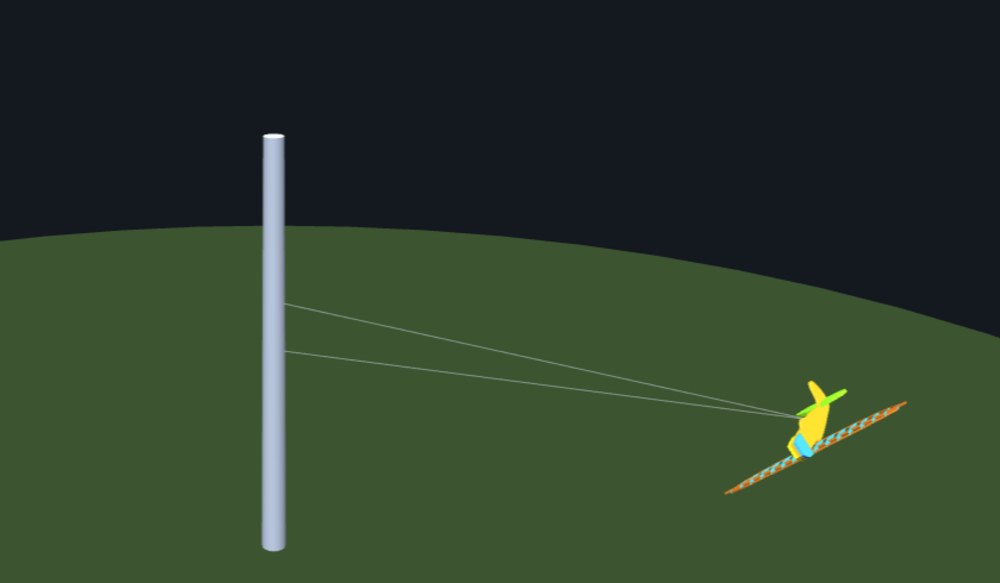
A round-the-pole model is a small, light electric aeroplane tethered to a central pole by a line. It flies in circles around the pole, usually indoors in a sports hall, so there’s no wind to fight and nothing to crash into but the floor. The models are cut from sheet balsa and are simple enough for a cadet to build in a few evenings. They make a great first step into how aircraft really fly: get the balance or the tail wrong and the model shows you straight away.
From a plan to the laser cutter
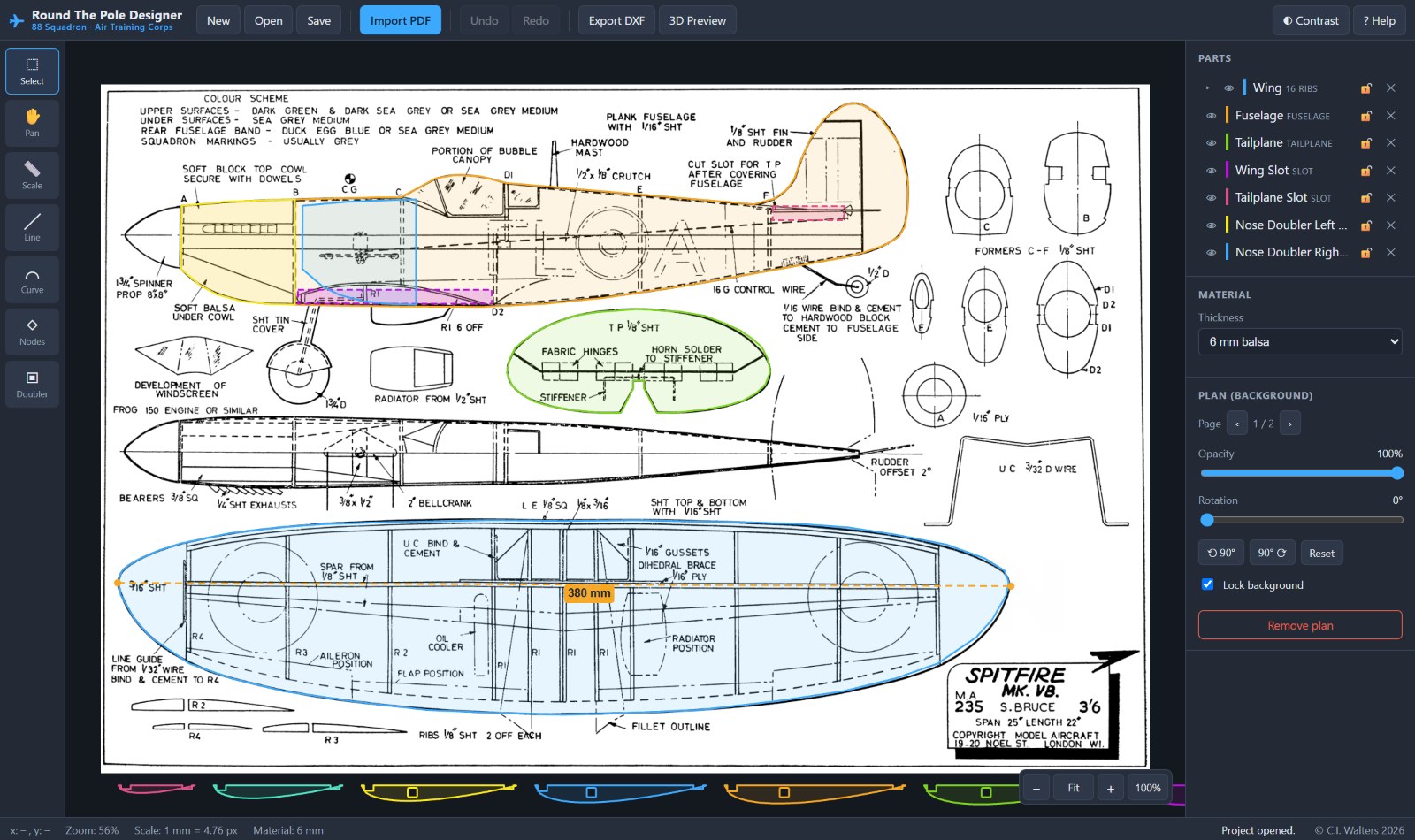
- Import a plan. Load a PDF plan and set its scale by clicking two points a known distance apart.
- Trace the parts. Draw round the fuselage, wing, tailplane and fin with straight lines and smooth curves, then tidy them up by dragging the points.
- Finish the details. Plans often show only half a wing, so one click mirrors it into a full one. Add the slots the wing and tailplane push through, and nose doublers to strengthen the front.
- Check it will fly in the 3D preview and design report (more on that below).
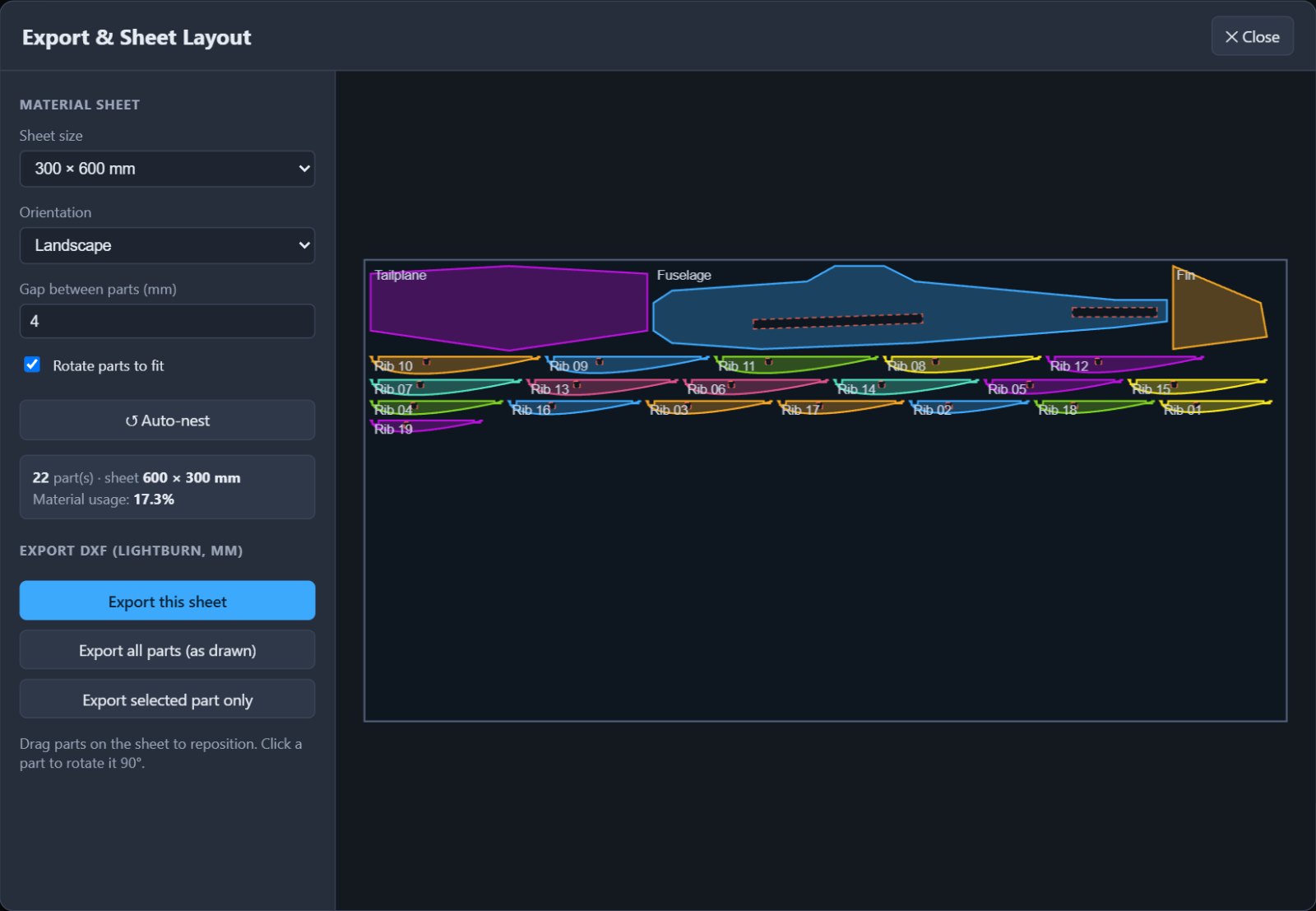
- Cut it out. Lay the parts out on a sheet of balsa and export a DXF file, in millimetres, ready for LightBurn and your laser cutter.
Learning about flight
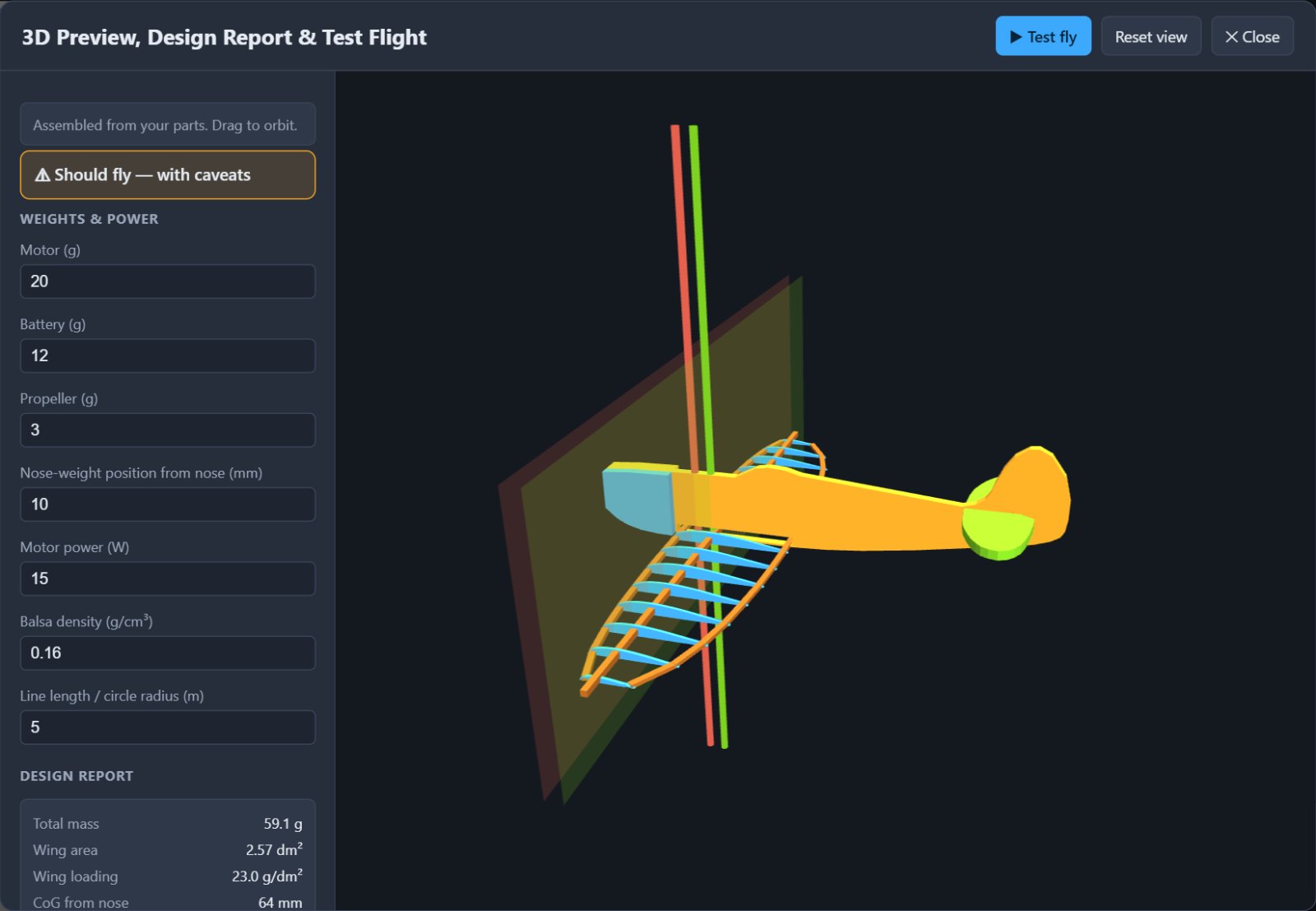
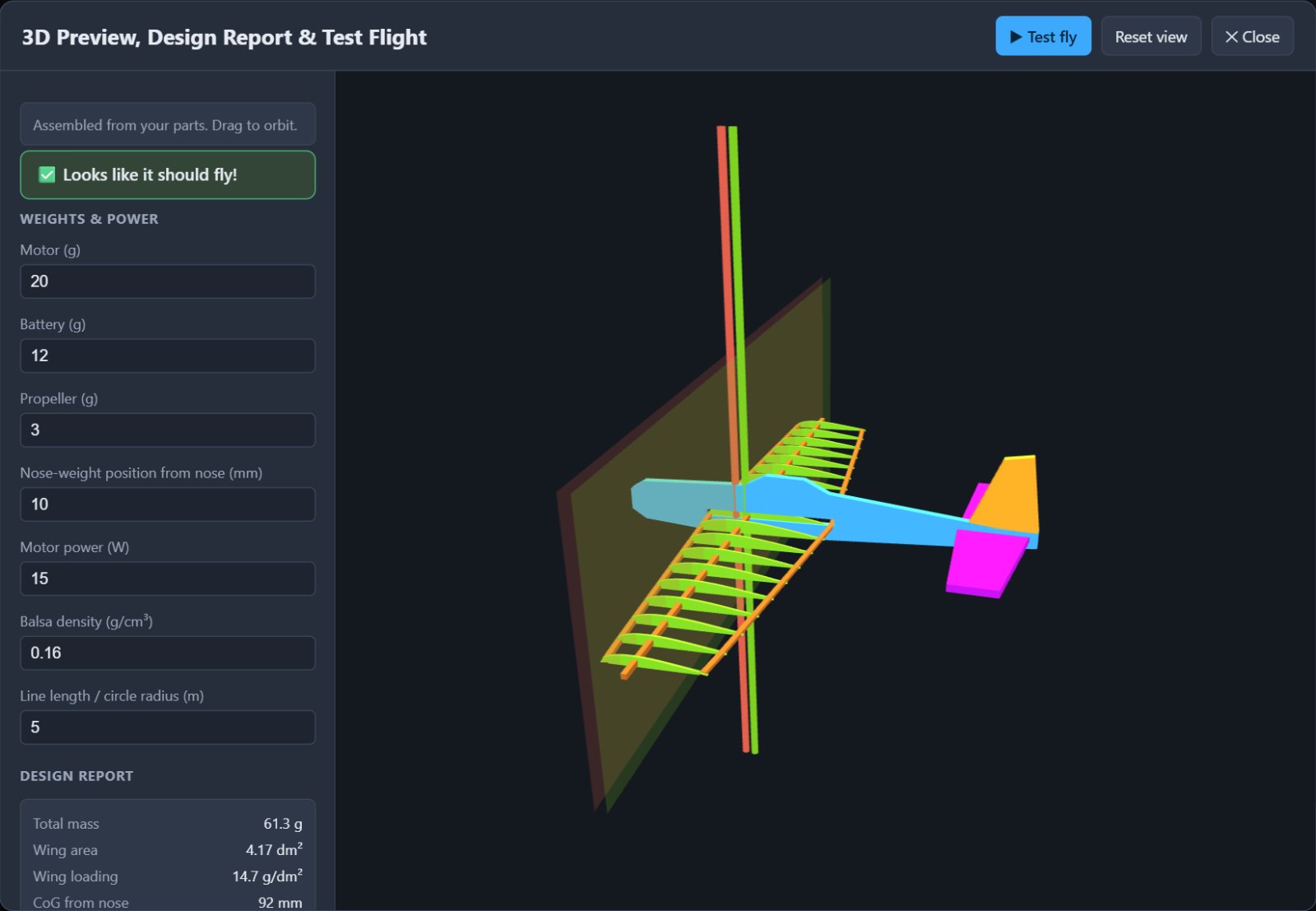
This is the part I’m proudest of. Enter the weights of the motor, battery and propeller, and the designer works out a design report for the model, using the same ideas full-size aircraft designers use:
- Weight and wing loading: how much weight each part of the wing has to carry.
- Stall and cruise speed, from the lift equation.
- Centre of gravity and stability: where the model balances, where it ought to balance, and how big the tailplane needs to be to keep it steady.
- Power-to-weight, and the pull on the line as the model circles.
Each design gets a simple green, amber or red verdict. If the model is tail-heavy, Trim to balance works out how much nose weight to add, and where. Then press Test fly and watch the model fly round the pole. A well-balanced design flies steady circles; a tail-heavy one porpoises and stalls, just as the real thing would. Cadets can change one thing at a time and see what difference it makes, which is the best way I know to learn why aircraft are shaped the way they are.
Lighter wings, the way full-size aircraft are built
A solid balsa wing is easy to make but heavy. The designer can turn it into a lightened frame, or into a proper built-up wing: a set of curved airfoil ribs threaded on a spar, with notches for the leading and trailing edges, all ready to cut. On the example model shown here, building up the wing took it from 95 g to 61 g, and the design report shows at once how much lower the stall speed becomes.
Using it with your squadron or school
- Nothing to install: it runs in any modern web browser. A laptop or desktop with a mouse works best.
- Works offline. Download the single file and open it on a squadron or school computer with no internet connection.
- Private: nothing is uploaded anywhere. Projects are saved as files on your own computer, with the plan included, so a cadet can pick up where they left off next week.
- Made for beginners, aged 12 and up, with a high-contrast mode and a help screen of shortcuts.
Plans to practise on
- Supermarine Spitfire Mk Vb (PDF)
- Hawker Typhoon (PDF)
- Cessna 182 (PDF)
- de Havilland Mosquito FB Mk VI (PDF)
- Junkers Ju 87 Stuka (PDF)
- Consolidated PBY Catalina flying boat (PDF)
If you run a squadron, a school club or a youth group and would like to use the designer with your own members, I’d be glad to hear how you get on. Get in touch.